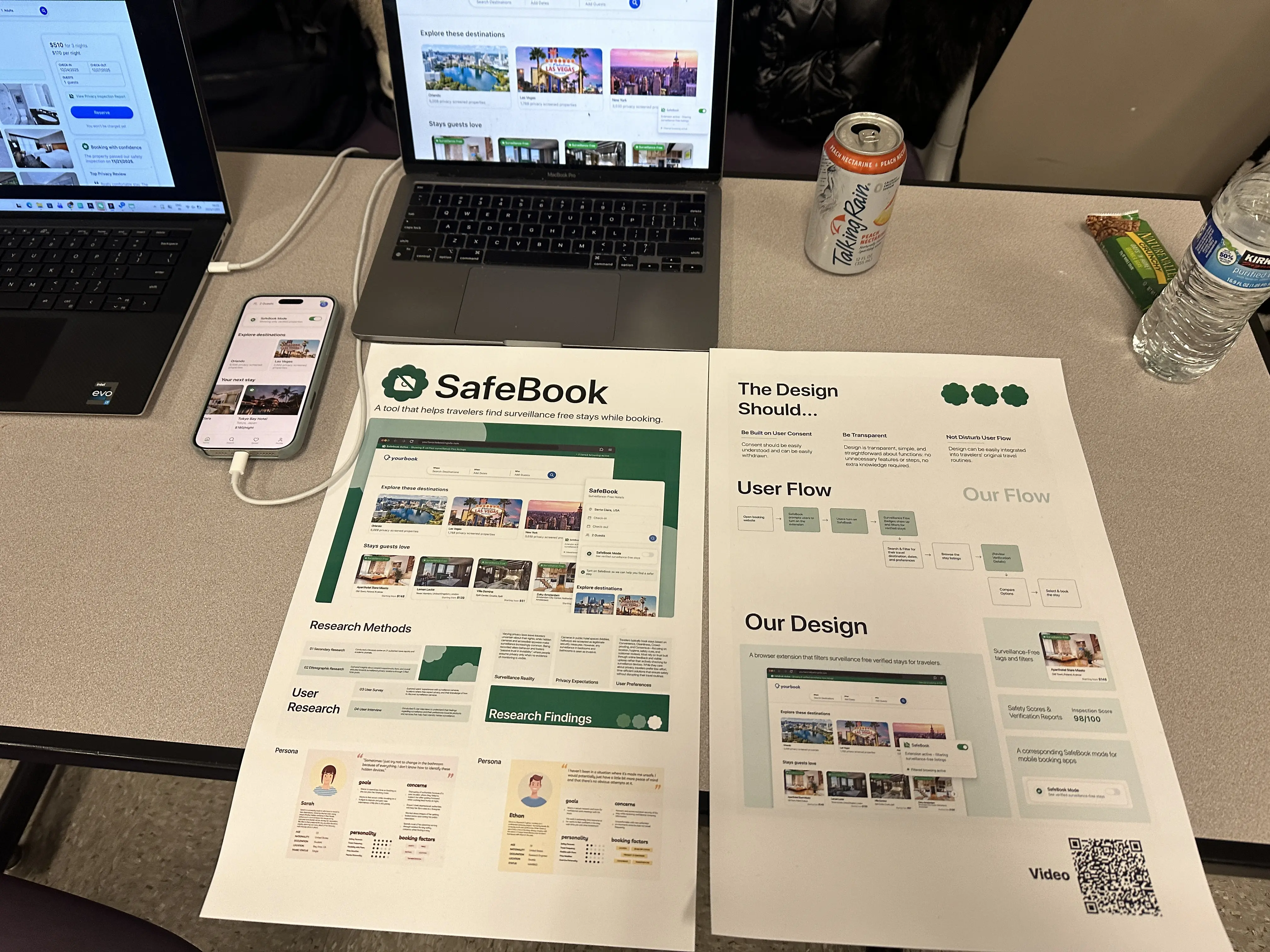
Surveillance-Free tags and filters
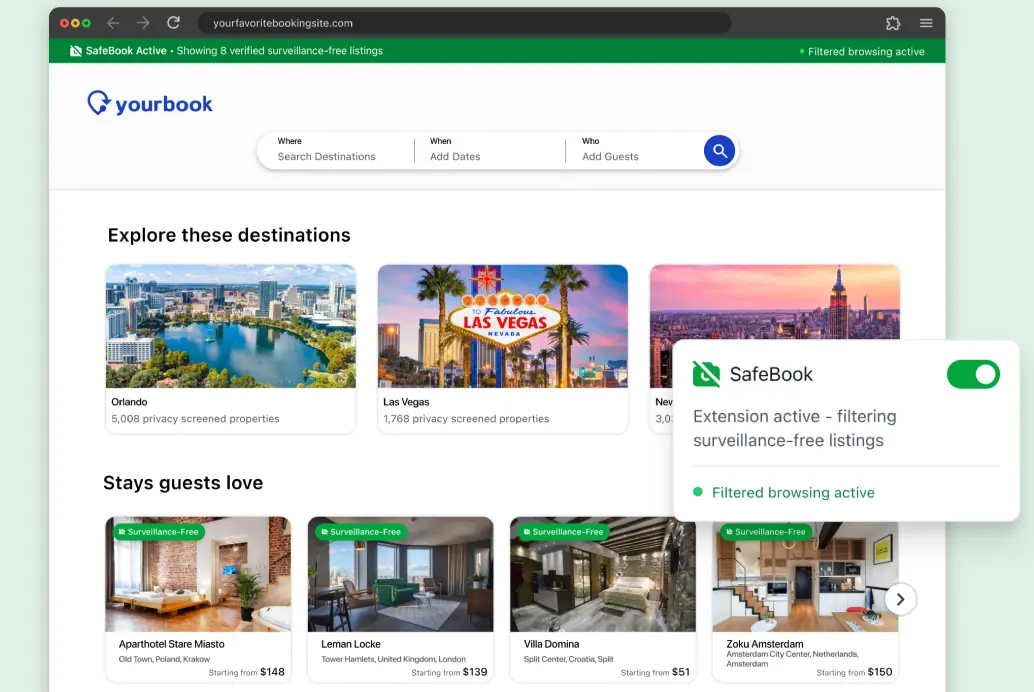
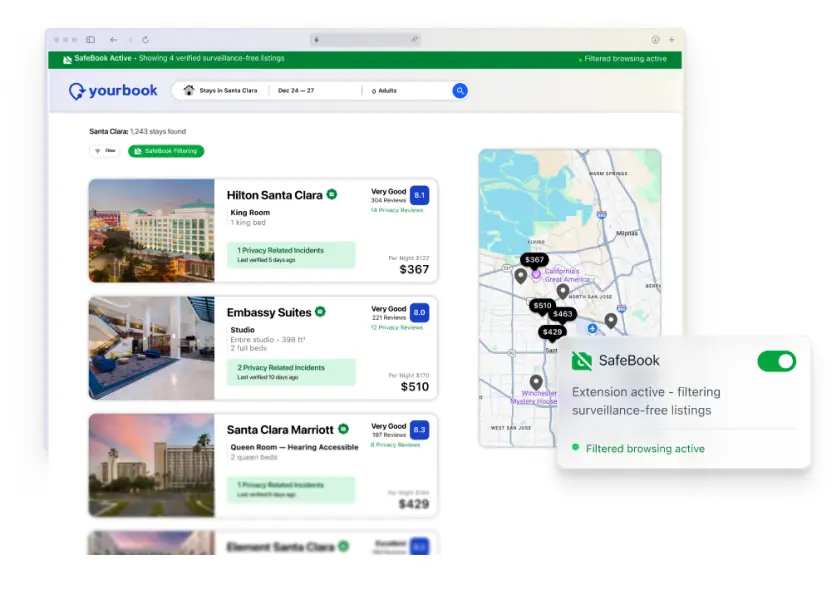
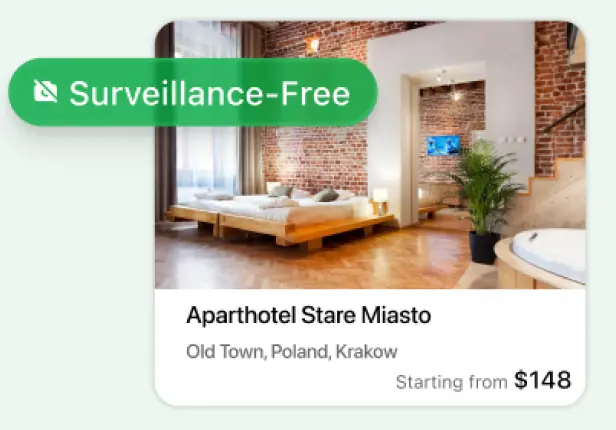
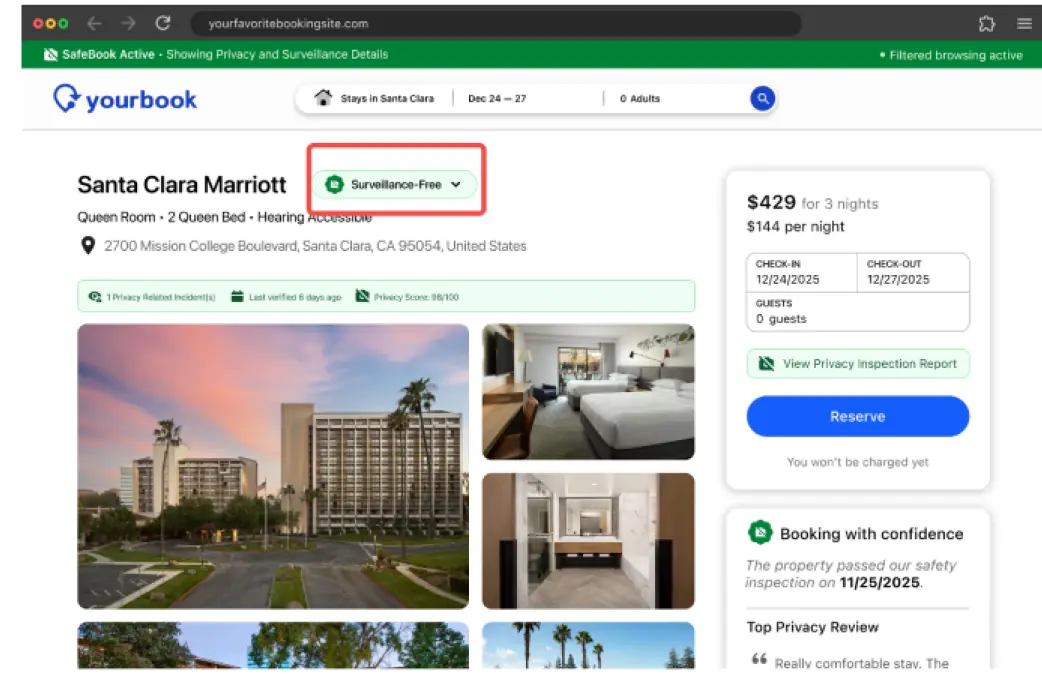
Verified stays are visible at a glance and can be prioritized without changing the booking flow.

SafeBook · Autumn 2025 · 10 weeks
A browser extension and mobile booking mode that filters for verified, surveillance-free stays—helping travelers feel confident, informed, and safe from the moment they choose where to stay.
With the advancement of image capturing technology, consent surrounding one’s image has been brought to the forefront. Particularly in private spaces such as public restroom stalls, changing rooms, and travel stays, various privacy violations regarding image capture have been reported. Hidden surveillance in travel stays has become an increasingly common concern, leaving travelers feeling vulnerable. SafeBook was designed as a tool to support travelers—from cautious planners to last-minute bookers—in safeguarding their privacy, encouraging them to feel confident, informed, and safe when choosing where to stay.
Our project empowers people to safeguard their privacy from the very first step of choosing where to book. SafeBook filters booking sites to show only verified, surveillance-free properties, complete with privacy inspection reports, incident history, and privacy scores. It integrates seamlessly into travelers’ existing booking flow, making privacy transparent, accessible, and effortless.
Verified stays are visible at a glance and can be prioritized without changing the booking flow.
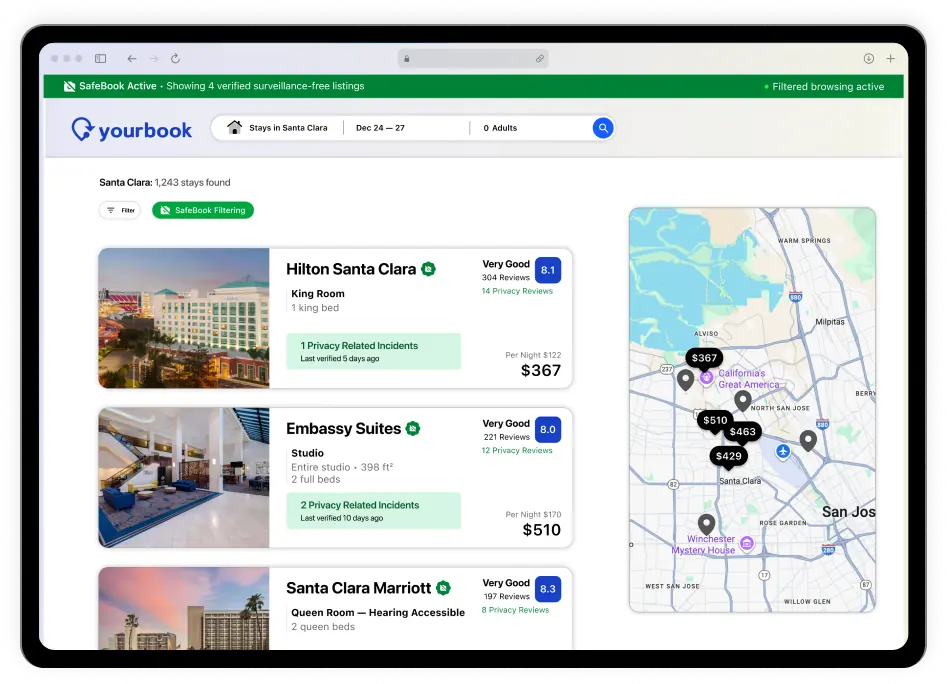
Travelers can review privacy inspections, incident history, and safety status before booking.
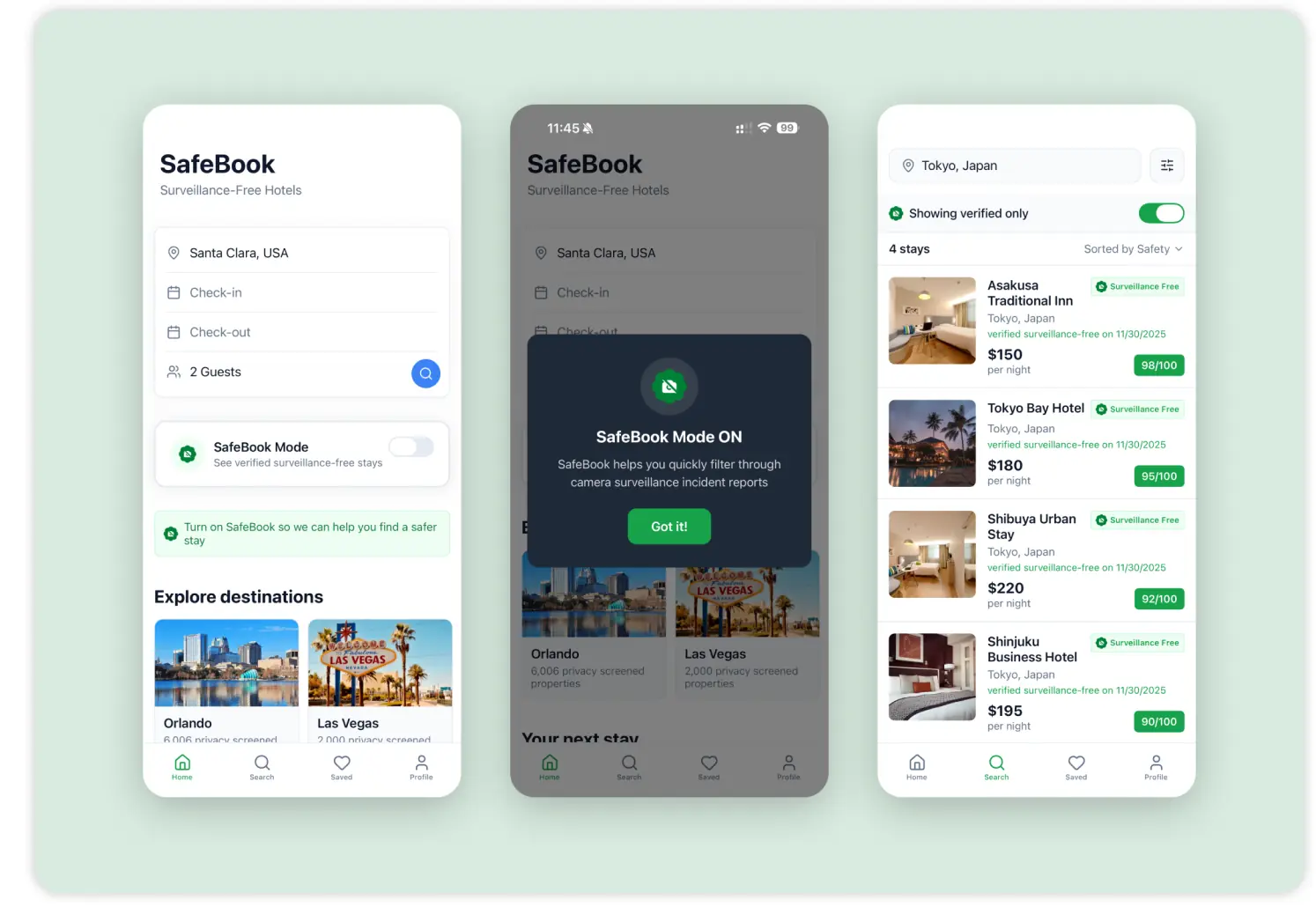
SafeBook’s protection carries into native mobile booking apps for consistent access.

We combined literature, social posts, observation, and interviews to understand how travelers think about hidden surveillance and what kind of protection can fit naturally into their routines.
Gathered insights about people’s experiences, fears, and overall attitudes towards surveillance privacy violations through 3 Red Note posts.
Explored users’ experiences with surveillance cameras, locations where they expect privacy, and their knowledge of how to discover surveillance cameras.
Conducted a literature review on 21 published news reports and academic journals.
Conducted 6 user interviews to understand their feelings regarding surveillance and their preferences towards products and services that help them identify hidden surveillance.
Varying privacy laws leave travelers uncertain about their rights, while hidden cameras and accessible spyware make surveillance increasingly common. Being recorded alters behavior and fosters “passive trust in invisibility”, where people assume privacy only when no evidence of monitoring is visible.
Cameras in public hotel spaces—lobbies and hallways—are accepted as legitimate security measures. However, any surveillance in bedrooms and bathrooms is seen as invasive.
Travelers typically book stays based on Convenience, Cleanliness, Crowd-proofing, and Consensus—focusing on location, hygiene, safety cues, and customer reviews. Most rely on trust built through online feedback and visible upkeep rather than actively checking for surveillance devices. While they care about privacy, travelers prefer low-effort, time-efficient solutions that ensure safety without disrupting their travel routines.
Consent should be easily understood and can be easily withdrawn.
Design is transparent, simple, and straightforward about functions: no unnecessary features or steps, no extra knowledge required.
Design can be easily integrated into travelers’ original travel routines.
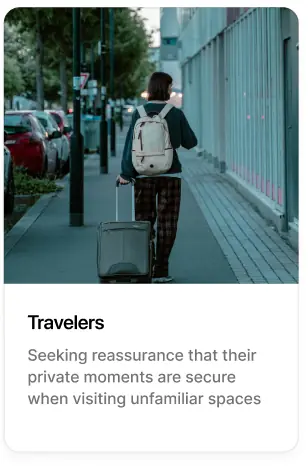
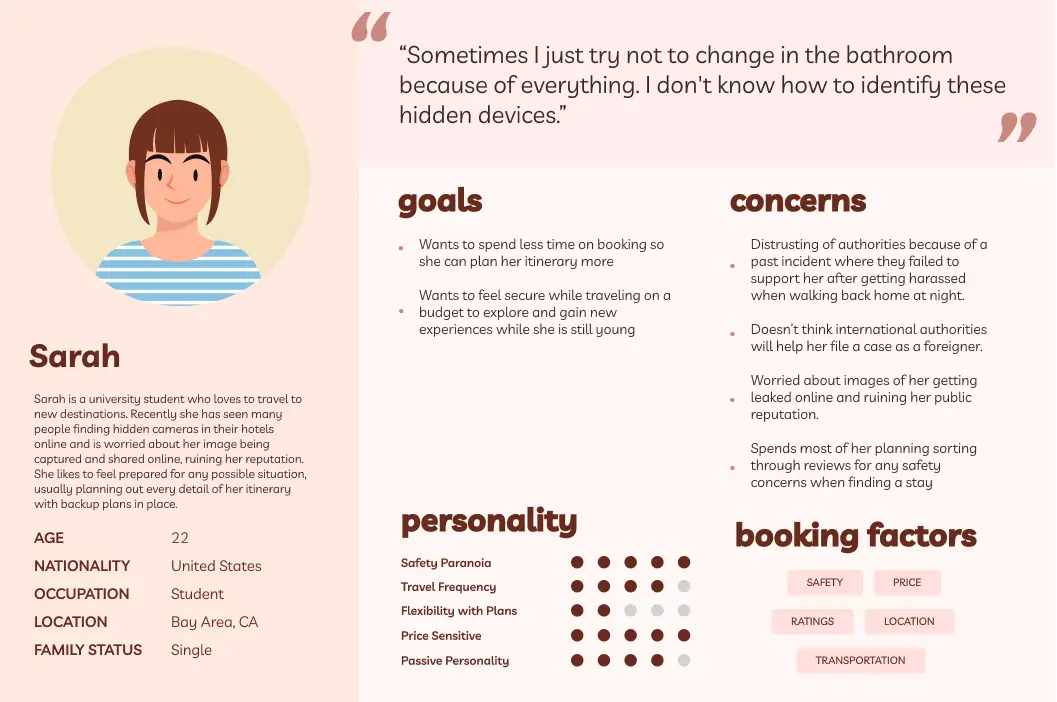
The cautious traveler travels frequently, is experienced with travel routines, plans, and bookings, and they take more precautions toward their personal safety and privacy. The cautious traveler invests a significant amount of time researching and planning the details of their trip, paying more attention to brand reputation and carefully sorting through reviews when considering their booking choices. When visiting a new destination, they carefully investigate all the details of their trip and organize an itinerary, ensuring a well-planned trip with no surprises.
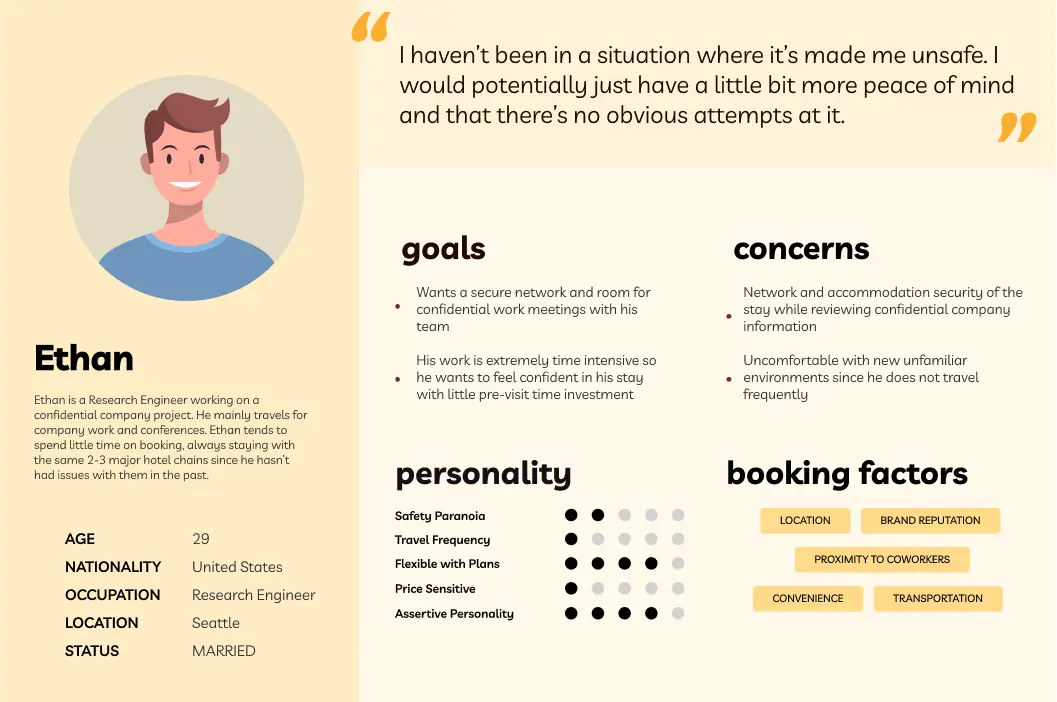
The trusting optimist tends not to sweat the details and waste time on planning, believing that they can figure it out as they go and that the trip will work out in the end. They tend to go with the flow, prioritizing booking convenience and location proximity to transport over the potential risks of safety and privacy during their stay.
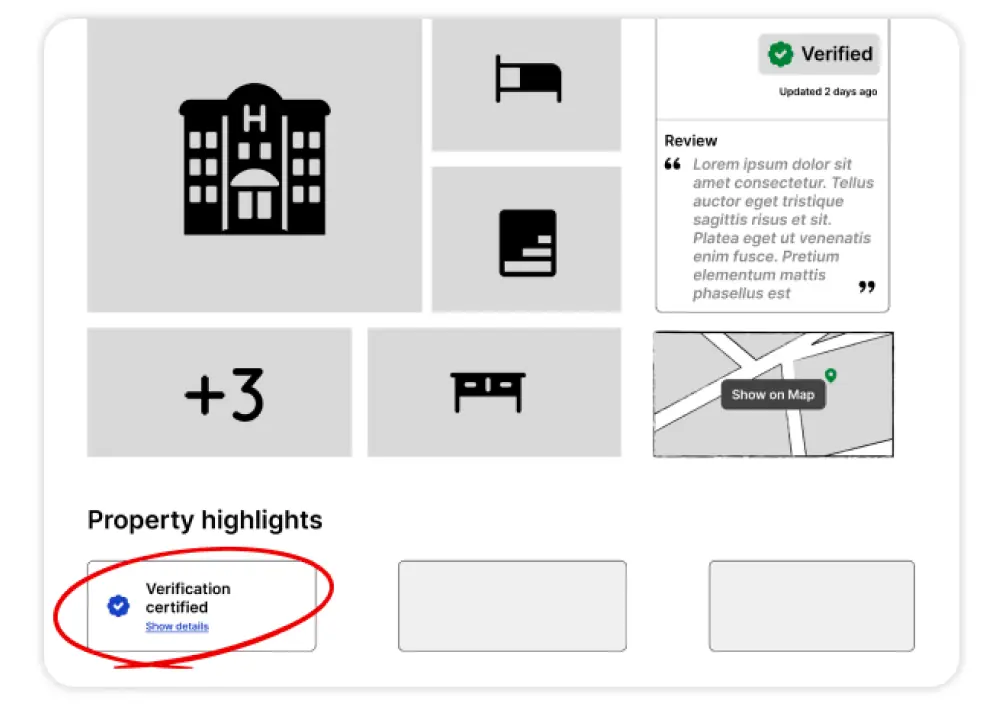
We repositioned the verification status to the top of the listing so users no longer need to scroll to find it, making the privacy inspection report immediately visible and easier to access.

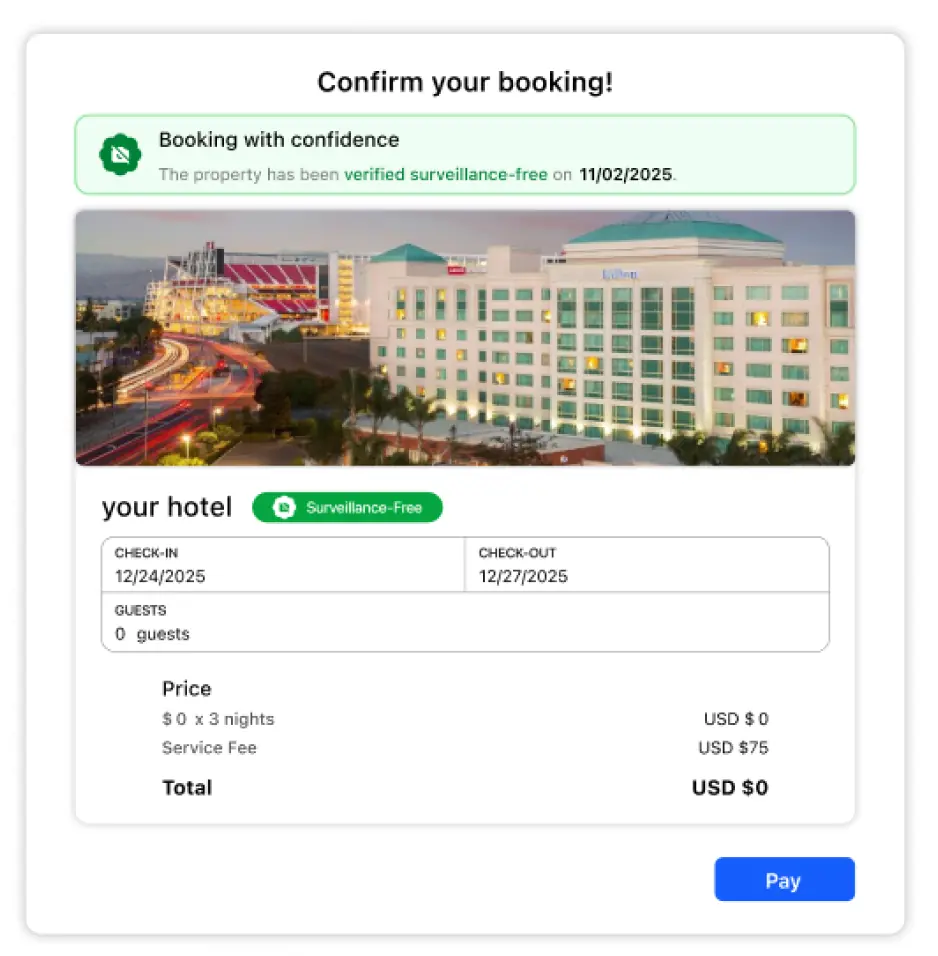
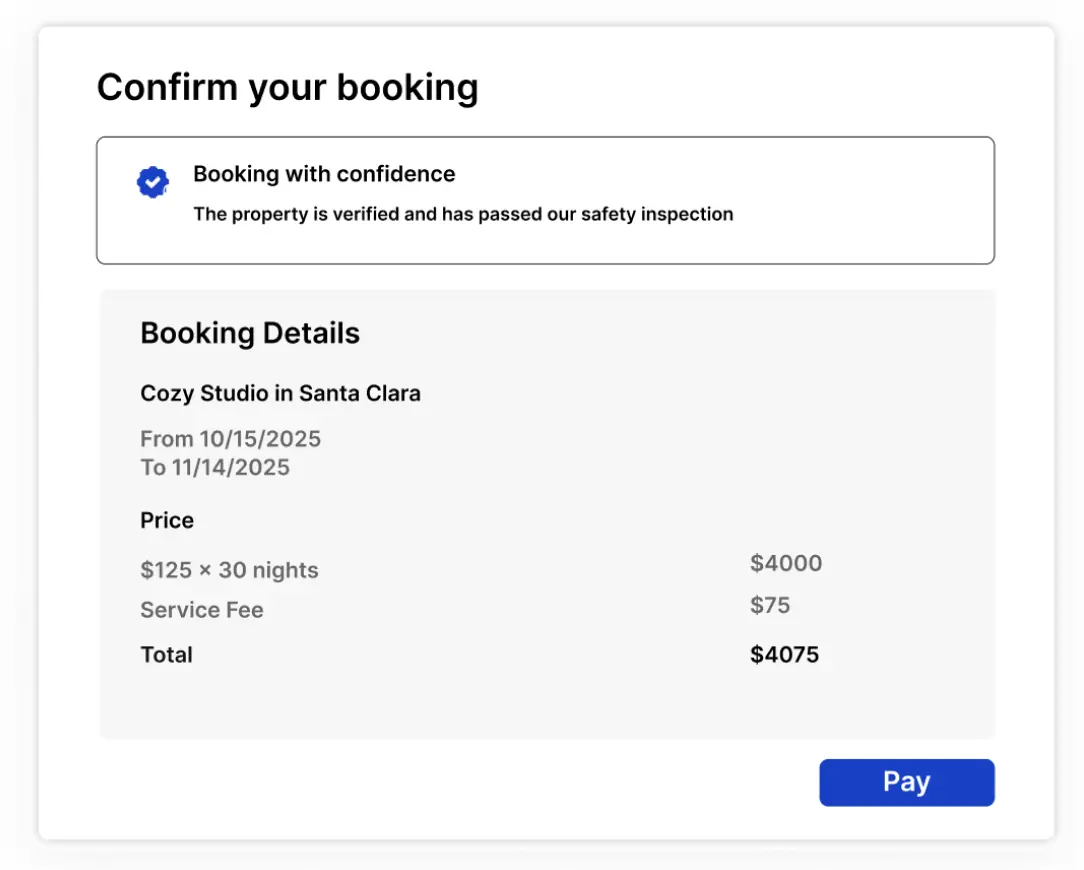
We streamlined the booking confirmation by removing the distracting property image and granular surveillance timestamps, replacing them with a cleaner, consolidated safety status to reduce visual noise and focus the user on the transaction.
We transformed the search experience by integrating a split-view map for geographical context and standardizing safety data into scannable UI cards, empowering users to weigh privacy verification alongside price and location.
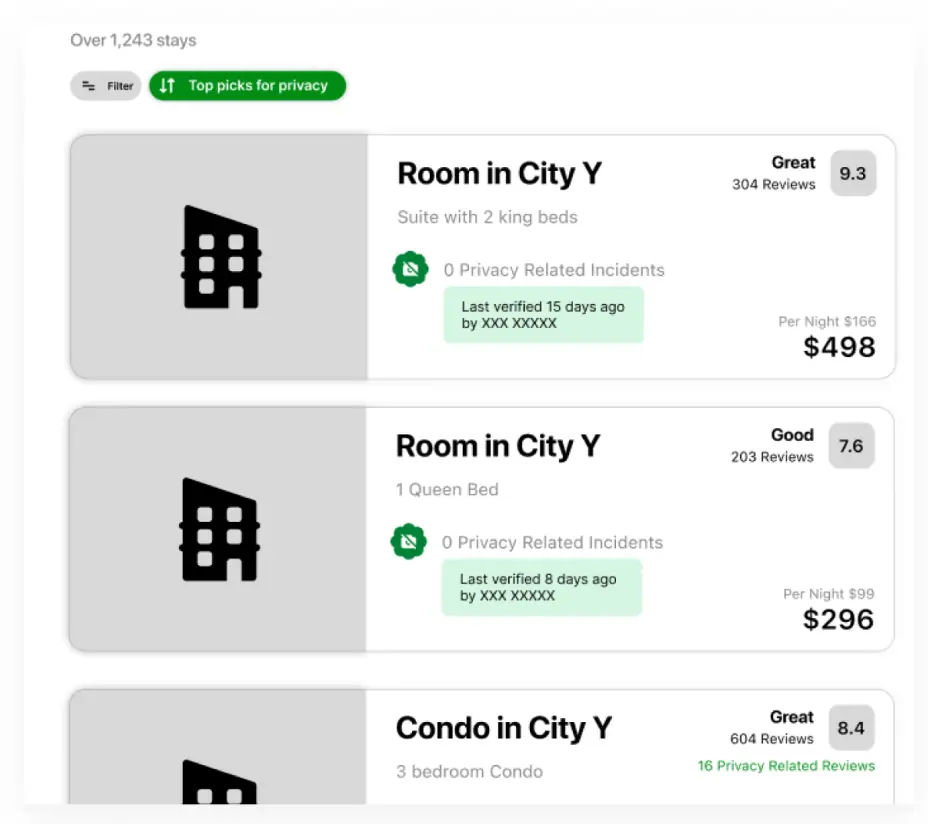
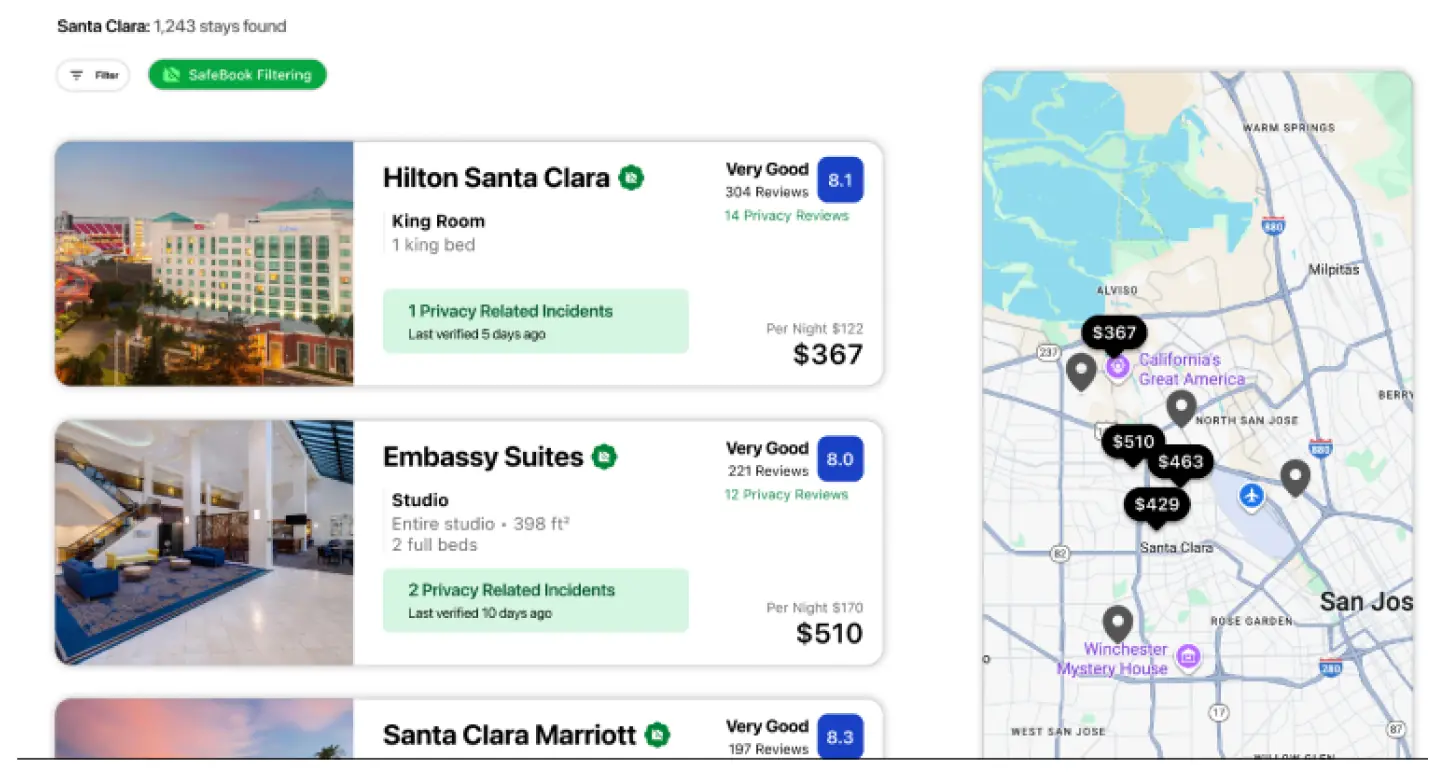
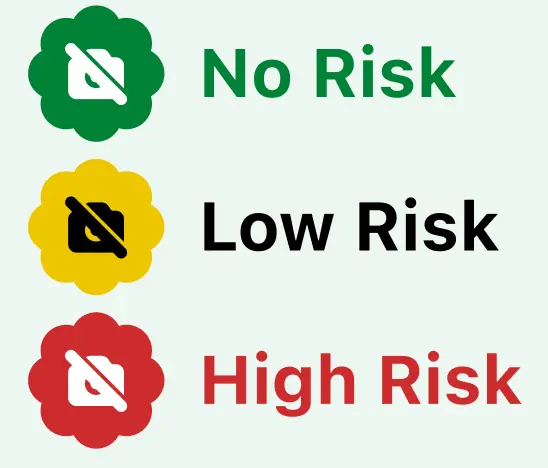
We replaced the score system with a three-level verification system, shifting the focus from “grading” a property to transparently communicating its safety validation.
The property has passed verification or has a strong consensus of safety.
The property may be safe, but the data is too old to be 100% reliable, or there are minor concerns.
A confirmed violation or active threat is present.
No reliable verification or incident data is available yet. The status communicates uncertainty rather than implying safety.




The experience introduces SafeBook, requests consent, filters verified stays, exposes reports, supports comparison, and keeps confirmation clear.
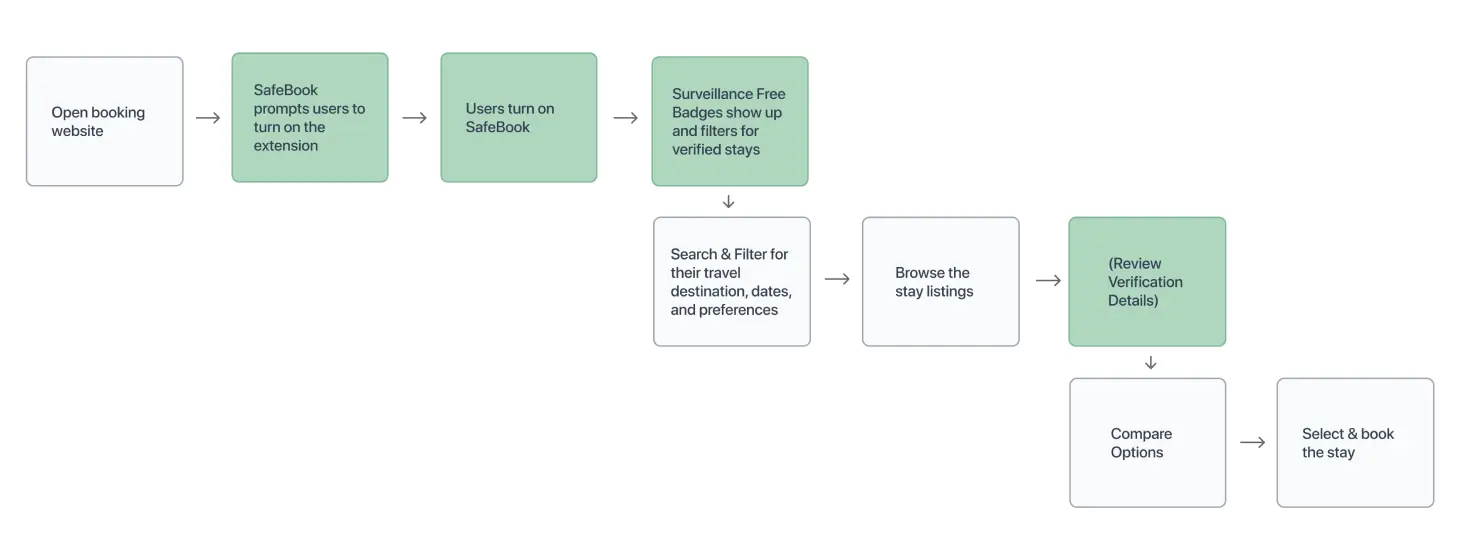
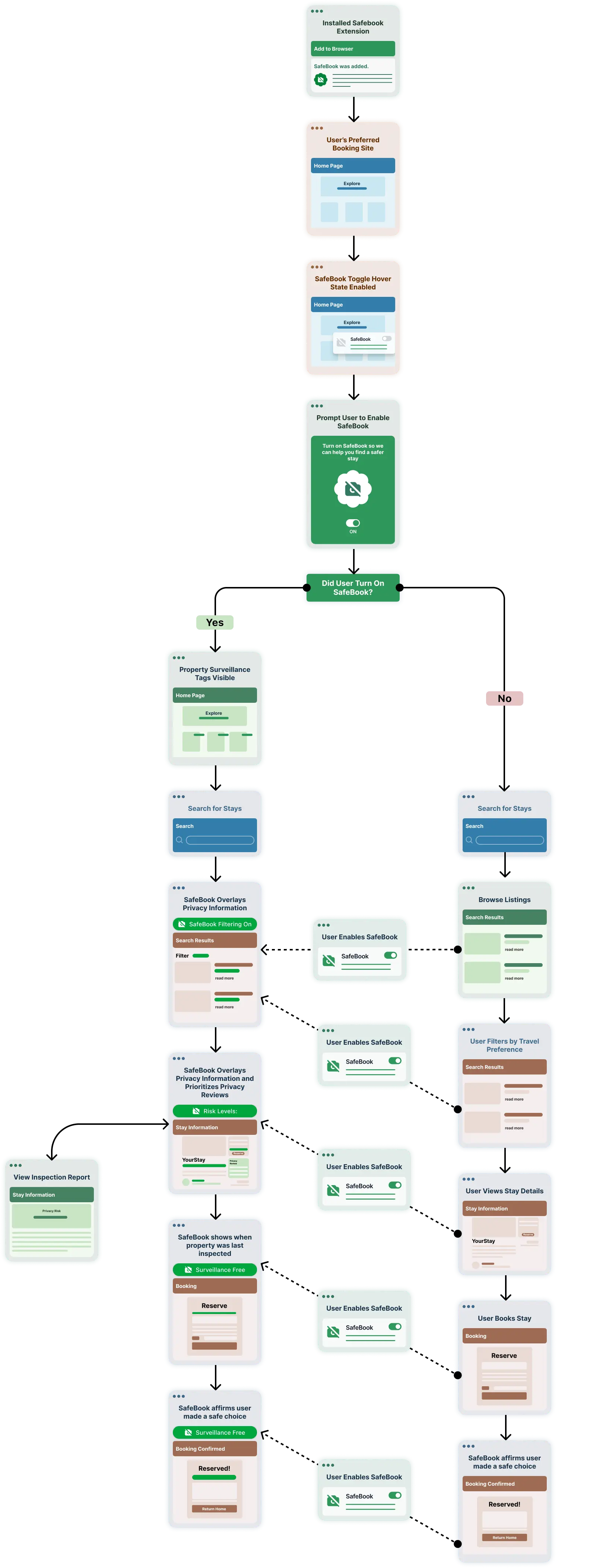
The architecture maps activation, consent, search, property verification, booking, and alternate paths across the extension experience.
A compact visual language uses safety green, clear status states, legible typography, and reusable tags, buttons, icons, and toggles.
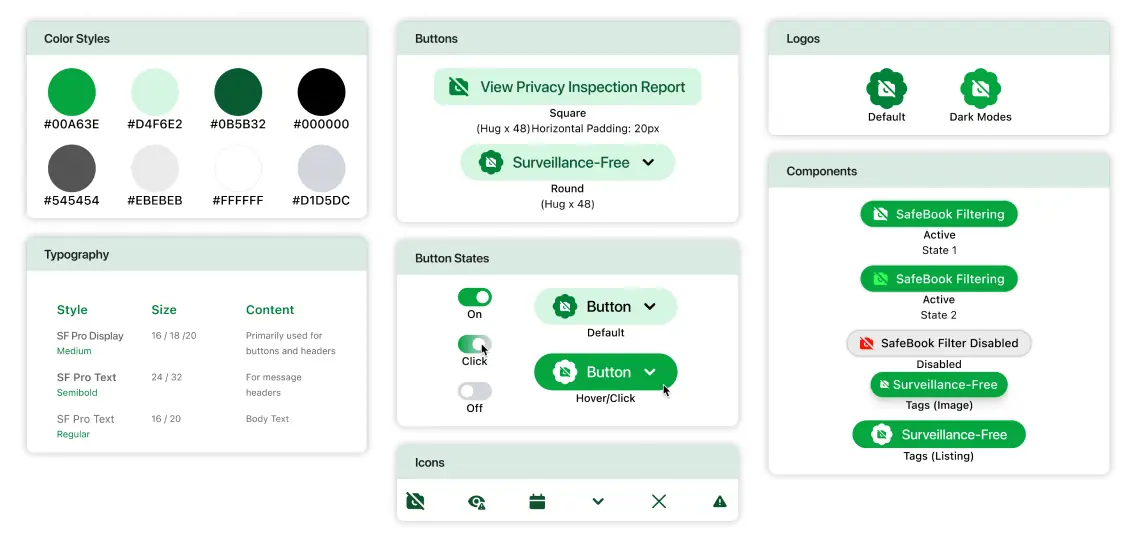
Our browser extension integrates directly into users’ existing booking workflows across any booking website they prefer. Once users turn on the extension, a badge appears on listings that are verified surveillance-free, and search results are automatically prefiltered to prioritize properties by their safety scores. This approach preserves the usual user experience and trust while introducing an essential layer of protection, ensuring safer booking decisions without disrupting their natural browsing behavior.
Check out our video on how the web extension works!
Usability testing revealed a significant user preference for booking stays through mobile applications rather than web browsers. To address this insight and extend our solution’s reach, we developed “SafeBook” mode, a mobile app feature that replicates the protective functionality of our browser extension within native booking applications. This prototype, built using Bolt, ensures users receive the same level of safety verification and scam detection regardless of their preferred booking platform, creating a seamless and secure experience across all touchpoints.
Made with love by Ruohan Li.